

What Is Self-Hosting
Self-hosting means running your own computer or server to store your files and run apps, instead of using a company’s servers.
Think about apps like TikTok, Google Photos, and Netflix. These apps use large computers called servers to store information and do the work behind the scenes. Most of these servers belong to big companies or are rented from companies like Google, Amazon, or Microsoft.
When you use these apps, some of your information is stored on their servers. This helps the apps work, but it also means the companies have control over where your data is kept.
One way to keep data private is by using apps with strong encryption, which scrambles your information so other people cannot read it. Another option is self-hosting, where you keep your data on a server that you own and control.
When you self-host, you are responsible for the whole system. You choose the computer, install the software, store the data, and make sure everything keeps working properly. This gives you more control over your files and privacy, but it also means you have to look after the server yourself.
Who Is Self-Hosting For?
Self-hosting is not just for computer experts. It can be a good choice for anyone who wants more control over their digital life and is willing to spend some time learning how it works.
People who may be interested in self-hosting include:
- People who care about privacy: If you do not like the idea of large technology companies storing your information, self-hosting lets you keep more control over your own data.
- Technology fans: If you enjoy learning about computers, solving problems, and trying new technology, self-hosting can be a fun hobby.
- Small businesses: Businesses can keep their data on their own systems, create solutions that fit their needs, and sometimes reduce ongoing subscription costs.
- Students and teachers: Self-hosting is a great way to learn about computers, networks, servers, and other technology skills.
- Creative professionals: Video editors, photographers, and musicians often have huge files that need lots of storage. Self-hosting gives them more space and control over their work.
- People looking to save money: Setting up a server can cost money at first, but over time it may be cheaper than paying for several online services every month.
In short, self-hosting is for anyone who wants more control over their files, data, and apps and is willing to learn how to manage their own system.

Why Self-Hosting Is Important
From a privacy point of view, self-hosting can give you more control over your personal information.
Many online services collect data about what you do online. They may track the videos you watch, the products you buy, the websites you visit, and the content you enjoy. This information is often used to show you advertisements that match your interests.
Some people are uncomfortable with large technology companies collecting so much information about them. By self-hosting, you keep more of your data on your own server instead of storing it on someone else’s system. This gives you greater control over who can access your information.
Another reason people choose self-hosting is to avoid becoming too dependent on one company’s products and services.
For example, a company might offer services that work very well together. You buy one device, then another, and soon many of your files, photos, and services depend on that company’s products. While this can be very convenient, it can also make it harder to switch to something else later.
If prices increase or a service changes, moving away can be difficult because so much of your data and technology is tied to that company’s system.
Self-hosting often uses tools and services that can work across different brands and devices. This can give you more freedom to choose the products you want to use without being locked into a single company’s ecosystem.
In simple terms, many people self-host because they want more privacy, more control over their data, and more freedom to choose how they use technology.
Why Should You Consider Self-Hosting?
There are several reasons why people choose to self-host:
- Independence: You are not relying on another company to run your services. If a company raises its prices, changes its rules, or shuts down a service, your system can keep running.
- Control: You have full control over your files, apps, and settings. You decide who can access your information and how everything works.
- Saving money: Setting up a server may cost money at first, but it can sometimes be cheaper over time than paying for lots of monthly subscriptions.
- Privacy: Your data stays on your own equipment instead of being stored on someone else’s servers. This helps you keep more control over your personal information.
- Customization: You can set up your server exactly the way you want. You can choose which programs to install and change the settings to suit your needs.
In short, self-hosting gives you more freedom, more control, better privacy, and the ability to build a system that works the way you want.
What Can You Self-Host?
There are many different services that you can self-host, whether you want to use them at home for personal projects or in a business for work. From storing files and photos to running websites and apps, self-hosting gives you the freedom to choose the services that best fit your needs.

For You And Your Family
| Service | What It Does | Benefits |
|---|---|---|
| File Storage and Syncing | Create your own cloud storage for files and documents. | You control your files and can store as much as your hardware allows. |
| Email Server | Run your own email service. | More privacy, your own email address, and no advertisements. |
| Photo Management | Store and organise family photos and videos. | Keep full control of your memories without worrying about storage limits. |
| Media Server | Watch your movies, TV shows, and music on any device. | Access your media anywhere without paying for streaming subscriptions. |
| Password Manager | Safely store all your passwords in one place. | Better security and control over your login information. |
| VPN (Virtual Private Network) | Secure your internet connection and access your home network remotely. | Improved privacy and no monthly VPN subscription fees. |
| Game Server | Host online games for friends and family. | Create your own rules, add modifications, and avoid rental costs. |
| Home Automation | Control smart devices such as lights, cameras, and sensors. | More privacy and control without depending on online services. |
| News Feed Reader | Collect news and articles from different websites in one place. | You choose what you see instead of algorithms deciding for you. |
| Note-Taking App | Save and organise notes across your devices. | Keep your notes private and under your control. |
| Personal Finance Tools | Track spending, budgets, and investments. | Keep financial information private and organise it the way you want. |
| Online Learning System | Create and manage online courses and lessons. | Full control over course materials and student information. |
| Service | What It Does | Benefits |
|---|---|---|
| File Storage and Syncing | Create your own cloud storage for files and documents. | You control your files and can store as much as your hardware allows. |
| Email Server | Run your own email service. | More privacy, your own email address, and no advertisements. |
| Photo Management | Store and organise family photos and videos. | Keep full control of your memories without worrying about storage limits. |
| Media Server | Watch your movies, TV shows, and music on any device. | Access your media anywhere without paying for streaming subscriptions. |
| Password Manager | Safely store all your passwords in one place. | Better security and control over your login information. |
| VPN (Virtual Private Network) | Secure your internet connection and access your home network remotely. | Improved privacy and no monthly VPN subscription fees. |
| Game Server | Host online games for friends and family. | Create your own rules, add modifications, and avoid rental costs. |
| Home Automation | Control smart devices such as lights, cameras, and sensors. | More privacy and control without depending on online services. |
| News Feed Reader | Collect news and articles from different websites in one place. | You choose what you see instead of algorithms deciding for you. |
| Note-Taking App | Save and organise notes across your devices. | Keep your notes private and under your control. |
| Personal Finance Tools | Track spending, budgets, and investments. | Keep financial information private and organise it the way you want. |
| Online Learning System | Create and manage online courses and lessons. | Full control over course materials and student information. |
These are just a few examples. Self-hosting lets you run many of the same services offered by large technology companies, but on equipment that you own and control.
For Your Business
| Service | What It Does | Benefits |
|---|---|---|
| Project Management Tools | Help you organise tasks, projects, and deadlines. | Can be customised to suit your needs and usually has no per-user fees. |
| Chat and Communication Servers | Let you send messages and chat with friends, family, or coworkers. | More privacy and control over your conversations. |
| Wikis and Knowledge Bases | Store notes, guides, and important information in one place. | Easy to organise, private, and usually free from subscription costs. |
| Website Analytics | Track how people use your website. | Learn about visitors while protecting their privacy. |
| Online Store Platforms | Create and run your own online shop. | More control over your store and fewer ongoing fees. |
| Service | What It Does | Benefits |
|---|---|---|
| Project Management Tools | Help you organise tasks, projects, and deadlines. | Can be customised to suit your needs and usually has no per-user fees. |
| Chat and Communication Servers | Let you send messages and chat with friends, family, or coworkers. | More privacy and control over your conversations. |
| Wikis and Knowledge Bases | Store notes, guides, and important information in one place. | Easy to organise, private, and usually free from subscription costs. |
| Website Analytics | Track how people use your website. | Learn about visitors while protecting their privacy. |
| Online Store Platforms | Create and run your own online shop. | More control over your store and fewer ongoing fees. |
These are only a few examples of what you can self-host. There are many other services available, and it is worth researching which ones fit your needs. There are also online communities where people share advice and help each other learn about self-hosting.
However, not everything can be self-hosted easily. Some services are so large and complex that they require huge amounts of money, computers, and people to keep them running.
Examples include:
- Large social media platforms such as Facebook, Instagram, TikTok, and X (formerly Twitter).
- Search engines like Google, which store enormous amounts of information and use advanced computer systems.
- App stores such as Google Play, the Apple App Store, and Steam, which rely on millions of developers and apps.
- Video streaming platforms like Netflix and YouTube, which host huge libraries of videos and movies.
- Large marketplaces such as Uber and DoorDash, which depend on thousands of drivers, restaurants, and customers.
While you may not be able to build your own version of these giant services, there are often smaller self-hosted alternatives that work well for individuals, families, or small groups.
The goal of self-hosting is not to replace the entire internet. Instead, it is about choosing the services that matter most to you and running them yourself so you have more control over your data and how those services work.

How To Start Self-Hosting?
Getting started with self-hosting can seem confusing or even a little scary at first. There is a lot to learn, and it may feel overwhelming.
The good news is that you do not need to do everything at once. Start with one or two simple services that you will use regularly. As you learn more and gain confidence, you can slowly add more services over time.
Like learning any new skill, self-hosting becomes easier with practice. Each project teaches you something new and helps you build your knowledge.
This guide will walk you through the basics and help you take your first steps into self-hosting.
Assess Your Needs And Skills:
Before you begin, think about which services you would like to self-host and how comfortable you are with technology.
If you are new to self-hosting, start with a simple project that is easy to set up and manage. As you learn more and gain experience, you can move on to bigger and more advanced projects.
Taking things one step at a time will make learning easier and help you avoid feeling overwhelmed.
Choose Your Hardware:
You have several choices when it comes to hardware for self-hosting:
- Old computer: An old desktop or laptop can be a great way to get started without spending much money.
- Small computer: Devices such as a Raspberry Pi are small, affordable computers that are popular for simple self-hosting projects.
- Network Storage Device (NAS): A NAS is designed to store and share files across your home network and can often run other services too.
- Dedicated server: If you need more speed, storage, or power, you can use a server built specifically for hosting applications and services.
For beginners, an old computer or a small device like a Raspberry Pi is often the easiest and cheapest place to start.

Select An Operating System:
Linux operating systems are a popular choice for self-hosting because they are reliable, secure, and free to use.
Some common options are:
- Ubuntu Server: Easy for beginners to learn and has lots of guides and support available online.
- Debian: Known for being stable and dependable, making it a good choice for long-term use.
- Proxmox: Lets you run multiple virtual computers and applications on the same machine, making it useful for more advanced setups.
If you are just starting out, Ubuntu Server is often the easiest option because it is beginner-friendly and well supported.
Set Up Your Network:
If you want to access your self-hosted services when you are away from home, you may need to make a few changes to your network setup.
- Port forwarding: This tells your router which services on your server can be reached from the internet.
- Dynamic DNS: This gives your home server an easy-to-remember web address, so you do not need to remember changing numbers called IP addresses.
- Reverse proxy: Tools such as Nginx Proxy Manager or Traefik help organise access to different services and make them easier to manage.
These steps can sound complicated at first, but they make it much easier to access your self-hosted services from anywhere.
Implement Security Measures:
To help keep your self-hosted server safe:
- Use strong passwords: Choose passwords that are long and hard to guess. You can also use special login methods, such as SSH keys, for extra security.
- Keep everything updated: Regularly update your operating system and apps to fix bugs and improve security.
- Use a firewall: A firewall helps control what information can enter or leave your server, helping block unwanted access.
- Use a VPN: A VPN creates a secure connection to your home network, allowing you to safely access your server when you are away from home.
Following these simple steps can help protect your server and keep your data safe.
Choose And Install Your Services:
Start small by setting up one or two services first. Once you feel comfortable and have learned the basics, you can add more services over time.
Some good beginner-friendly options are:
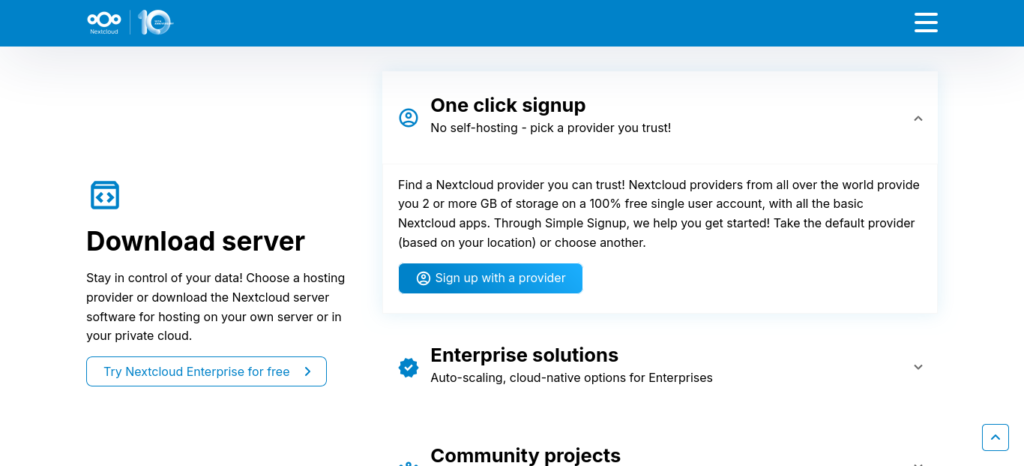
- Nextcloud: Store, organise, and sync your files across different devices, similar to your own personal cloud storage.
- Jellyfin: Stream your movies, TV shows, music, and videos to your devices from home.
- Bitwarden: Safely store and manage all of your passwords in one secure place.
These services are popular, useful, and a great way to learn the basics of self-hosting.
Use Container Technologies:
Docker and Docker Compose are tools that make self-hosting much easier.
They help you:
- Install apps more easily: You can set up applications without having to worry about all the extra software they need to run.
- Update apps quickly: Updating services is usually faster and simpler.
- Improve security: Each application runs in its own separate space, which helps prevent problems in one app from affecting others.
Think of Docker like a set of containers. Each app gets its own container, keeping everything organised and making it easier to manage your server.
Set Up Backups:
It is important to have backups so you do not lose your files if something goes wrong.
A popular backup method is called the 3-2-1 rule:
- Keep 3 copies of your important data.
- Store those copies on 2 different types of storage, such as a computer and an external hard drive.
- Keep 1 copy in a different location, so it is safe if something happens to your home or office.
You can also use backup programs such as Duplicati or Borg Backup to automatically create backups for you.
Having good backups means your files are much safer if your computer breaks, is lost, or stops working properly.
Monitor Your Services:
It is a good idea to keep an eye on your server to make sure it is working properly.
You can use tools such as Prometheus and Grafana to see information about your server, including how busy it is, how much storage it is using, and whether everything is running correctly.
You can also set up alerts that send you a message if something goes wrong, such as a service stopping or your storage running low.
Monitoring helps you find and fix problems early before they become bigger issues.
Join Self-Hosting Communities:
Connecting with other people who self-host can help you learn new things, solve problems, and discover useful tools.
Here are a few ways to get help:
- Join online communities such as the self-hosting subreddit, where people share tips, ideas, and advice.
- Visit forums for the specific software you are using. These forums often contain guides, answers to common questions, and helpful discussions.
Remember, you do not have to learn everything on your own. There are many friendly communities full of people who are happy to help beginners get started with self-hosting.

Learning And Improvement:
As you become more comfortable with self-hosting, you can:
- Try out new services and technologies to see what works best for you.
- Learn about the latest ways to keep your server secure and running smoothly.
- Support the open-source projects you use by donating, reporting bugs, or helping improve them.
Remember, self-hosting is a journey of learning and discovery. Start with small projects, take your time, and do not be afraid to ask for help when you need it.
The more experience you gain, the easier it will become to manage larger and more advanced projects. Over time, you can build a self-hosted system that is perfectly suited to your needs and gives you greater control over your data and services.
A Word Of Caution
Like any technology, self-hosting has both advantages and disadvantages. While it can give you more control and privacy, it also comes with some challenges.
- Can be difficult to learn: Setting up and managing a server can be confusing for beginners. However, it is also a great way to learn new technology skills.
- Takes time: You need to spend time updating software, fixing problems, and making sure everything is running properly.
- Costs money to start: You may need to buy a computer, storage devices, or other equipment before you can begin.
- Security is your responsibility: You need to keep your server protected by using strong passwords, installing updates, and watching for possible security issues.
- Risk of losing data: If your hardware fails or something goes wrong, you could lose important files unless you have good backups.
- No official support team: Unlike paid services, there may not be a company you can call for help. Instead, you will usually rely on online guides and community forums.
- Needs power and internet: Your server needs electricity and an internet connection to work. If either stops working, you may not be able to access your services while away from home.
- Limited performance: Home internet connections and regular computers may struggle if lots of people are using your services at the same time or if the applications require a lot of power.
Even with these challenges, many people find that the extra control, privacy, and learning experience make self-hosting worthwhile. The key is to start small, learn as you go, and make sure you have good backups and security in place.
Conclusion
Having a good backup system is one of the most important parts of self-hosting. Backups help protect your files if your computer breaks, data is accidentally deleted, or something unexpected happens.
For laptops and desktop computers, you can use backup software to regularly save copies of your important files. For servers, it is a good idea to use more advanced backup methods and keep copies of your data in another location.
By creating automatic backups and checking them regularly, you can protect your photos, documents, and other important information across all your devices.
A strong backup plan helps keep your data safe and gives you peace of mind, knowing that your files can be recovered if something goes wrong.
FAQ
What Services Can I Self-Host?
When you start self-hosting, you can run many different services on your own computer or server. This could include things like personal blogs, file storage, team collaboration tools, or even your own website.
Self-hosting gives you more control over how your services work and lets you set them up to match your needs. Instead of relying on someone else’s system, you can manage your own digital space.
With self-hosting, a laptop, desktop computer, or server can become a powerful tool for storing files, running apps, and hosting websites.
By learning about self-hosting, you can create a more personal, flexible, and secure online experience that works the way you want it to.
What Is A Hosting Provider?
A hosting provider is a company that supplies the computers, storage space, and internet connection needed to keep websites and apps online.
Think of a hosting provider like a landlord. Instead of renting a house, you rent space on their computers, called servers. Your website’s files and data are stored there so people can visit your website at any time from anywhere in the world.
Without a hosting provider, most websites would not be able to stay online and available to visitors.
Does Self-Hosting Require Coding Knowledge?
No, you do not need to know how to code or program to get started with self-hosting.
Many self-hosted applications are designed to be easy to install and use. You can run services such as media servers, password managers, and personal cloud storage without writing any software yourself.
While learning some basic technical skills can be helpful, many beginners successfully start self-hosting by following step-by-step guides and tutorials. As you gain experience, you can learn more advanced skills if you choose, but coding is not required for most self-hosting projects.